Your first order, start to finish
What happens when someone buys, and how to pack, ship and follow up.
Getting started · Updated 14 Nov 2026
When a customer pays, the money goes straight to your Stripe account and the order appears in your console.
1. The order arrives
- You get an email, and the dashboard's Orders to ship count goes up.
- The customer gets a confirmation email with what they bought.
- Downloads are sent automatically; they never need packing.
2. Pack it
-
Open Orders › To ship. Orders wait here, oldest first.
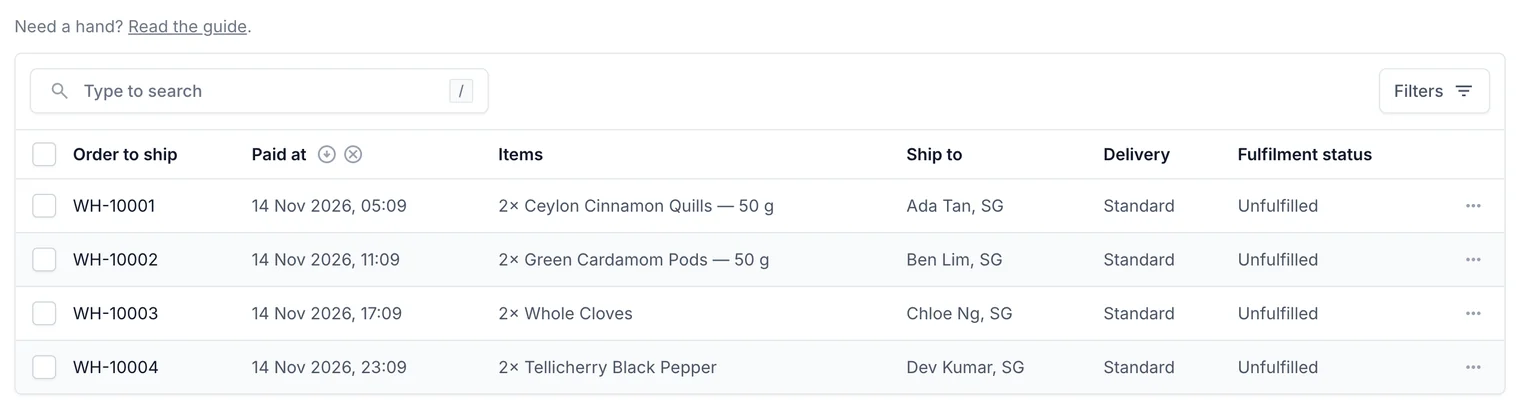
Everything that needs posting, oldest first. -
Tick the orders you're packing and print their packing slips.
3. Ship it
- Open the order and choose Mark as shipped.
- Enter the carrier and tracking number. The customer gets an email with a tracking link.
4. After delivery
- A week after delivery we ask the customer for a review (you can turn this off).
- If something goes wrong, you can refund all or part of the order.
Related guides
- Pack and ship orders
Work through orders to ship, print packing slips, mark orders shipped and send tracking.
- Refund an order
Give all or part of the money back through Stripe, and choose whether to restock.
- Book couriers with EasyParcel
Connect your EasyParcel account, compare couriers and book pickups from an order.
Still stuck? Contact support or email [email protected]. We reply within one business day.