Book couriers with EasyParcel
Connect your EasyParcel account, compare couriers and book pickups from an order.
Shipping · Updated 14 Nov 2026
With EasyParcel you book a courier from the order itself: we fetch the prices, book the pickup and email the customer their tracking number. Postage is paid from your own EasyParcel credit; wildhoney.io adds no fee.
Connect EasyParcel
- In EasyParcel, find your API key (under Integrations).
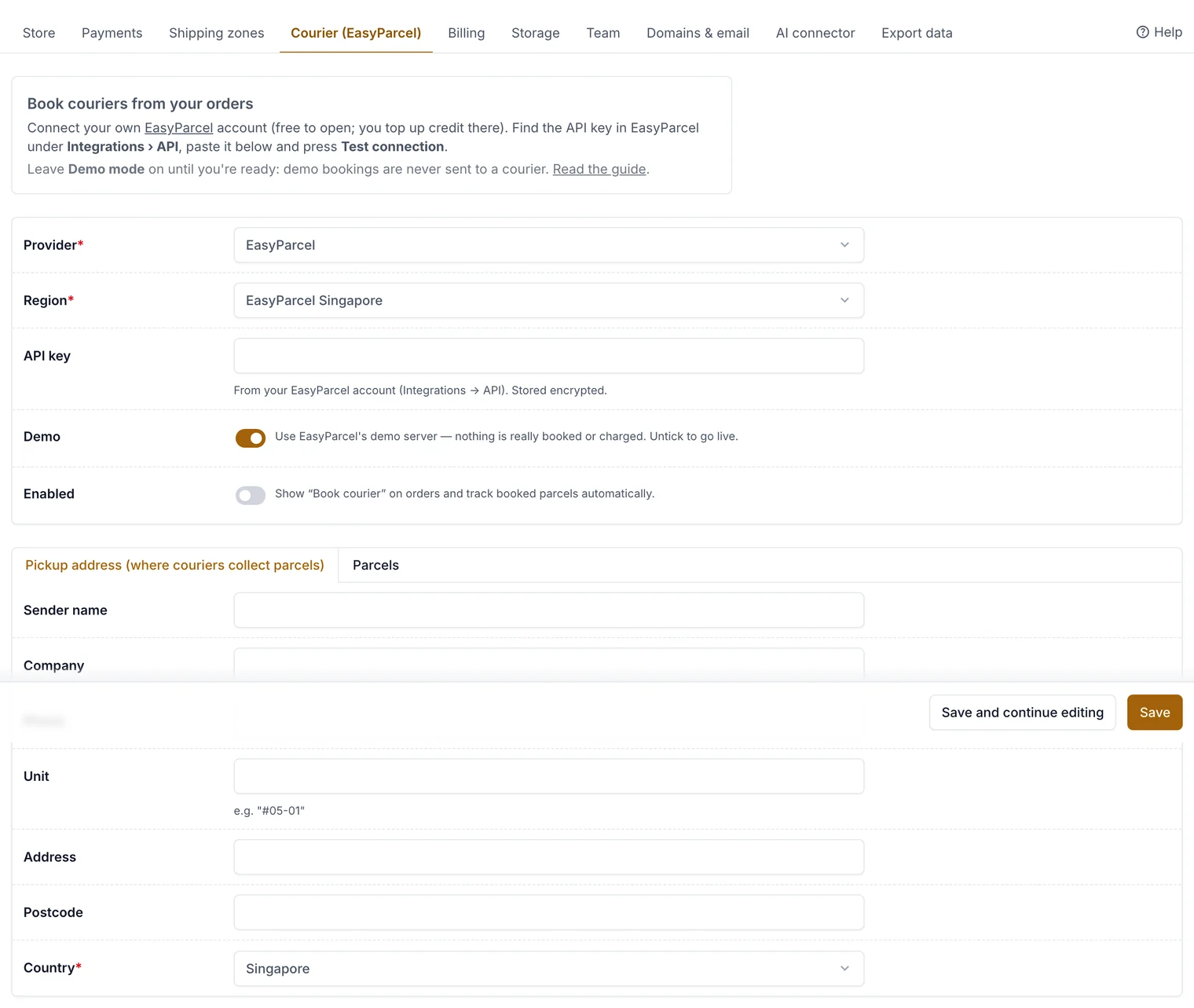
- In the console, open Settings › Courier (EasyParcel), paste the API key and enter your pickup address.
- Save, then choose Test connection.
Book a courier
-
Open an order to ship and choose Book courier.
-
Pick a service and a Collection date, then choose Book and pay.
Compare services, pick a collection date and book. -
The order is marked shipped and the customer gets the tracking number. Orders › Shipments follows each parcel until it's delivered.
Related guides
- Pack and ship orders
Work through orders to ship, print packing slips, mark orders shipped and send tracking.
- Shipping zones and rates
Group the countries you post to, set prices by weight, offer free delivery over an amount, and block products from some countries.
Still stuck? Contact support or email [email protected]. We reply within one business day.