Change theme and colours
Pick a theme and fonts, set your own colours, preview, then publish.
Online store · Updated 15 Nov 2026
-
Open Online store › Theme & colours.
-
Pick a Theme (1) and a font pair. To compare the themes first, choose See all the themes on wildhoney.io. It opens in a new tab.
-
Set your own colours if you like. Leave one empty to use the theme's own. Buttons use white or dark text to suit your main colour. If a text or background colour would be hard to read, you'll see a shade to try.
-
Choose Preview in a new tab to see it before anyone else does.
-
Choose Publish theme (2).
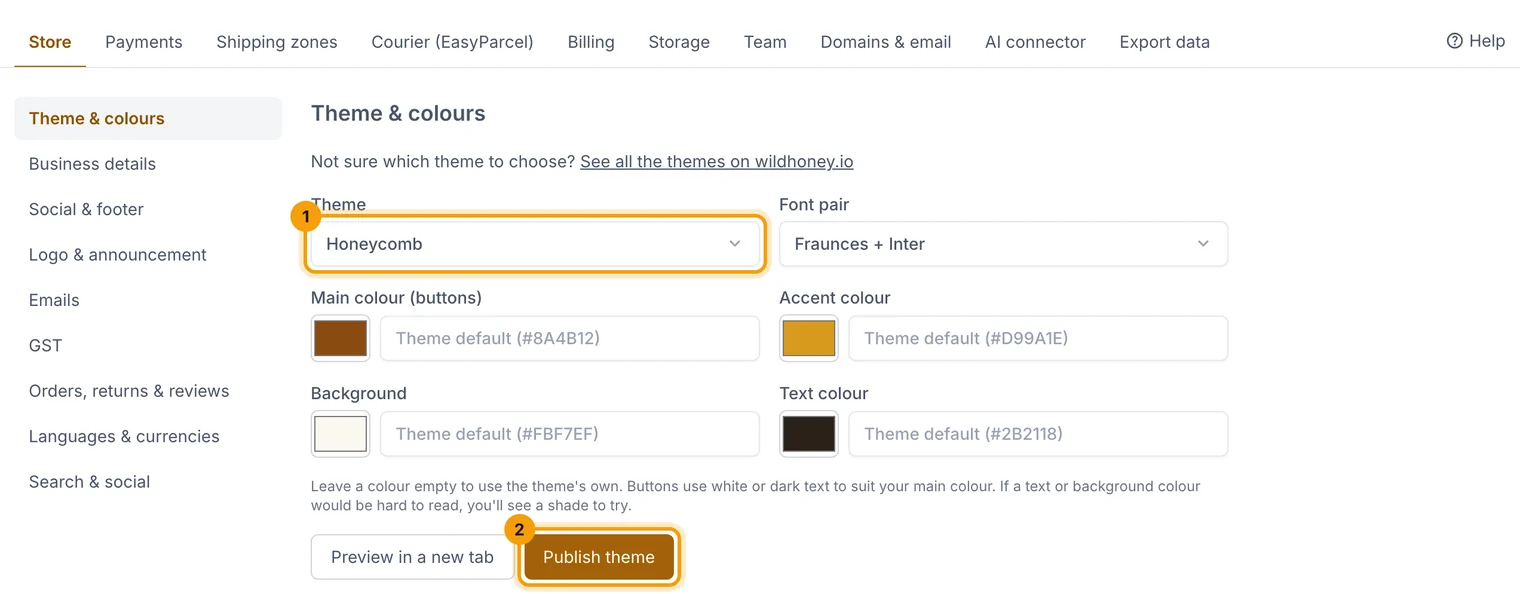
Preview first; nothing changes for shoppers until you publish.
Related guides
- Edit pages and the home page
Build pages from blocks (text, images, galleries, product grids, FAQs) and choose your home page.
- Store settings
Business details, logo, emails, GST, returns, languages, currencies and search settings, one section at a time.
Still stuck? Contact support or email [email protected]. We reply within one business day.