Get found on Google (SEO)
Your SEO score and checklist, search titles and descriptions with live previews, hiding pages, and fixing broken links.
Online store · Updated 14 Nov 2026
Online store › SEO shows how ready your store is for Google and what to fix.
Your score and checklist
The Overview tab gives a score out of 100 (1) and a checklist (2): search titles and descriptions, photos with descriptions, duplicate titles, broken links and your store's own settings.
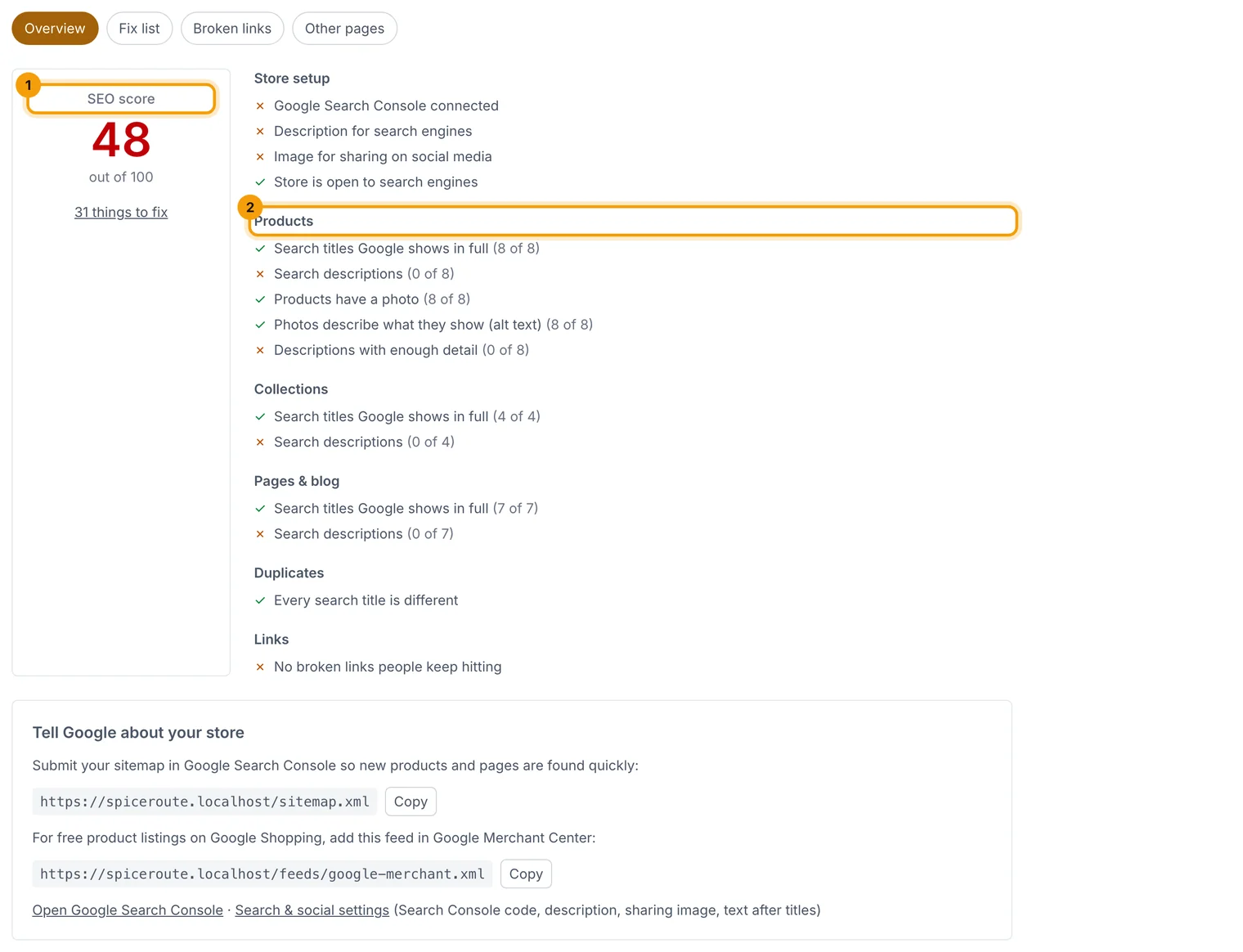
The Fix list tab lists every problem with a Fix link straight to the item.
Write a search title and description
-
Open a product, collection, page or post and its Search tab.
-
Write a Search title (about 60 characters shown) and a Search description (about 155). The counters tell you when they're too long.
-
Watch the preview (1): it shows how the item looks on Google and when it's shared.
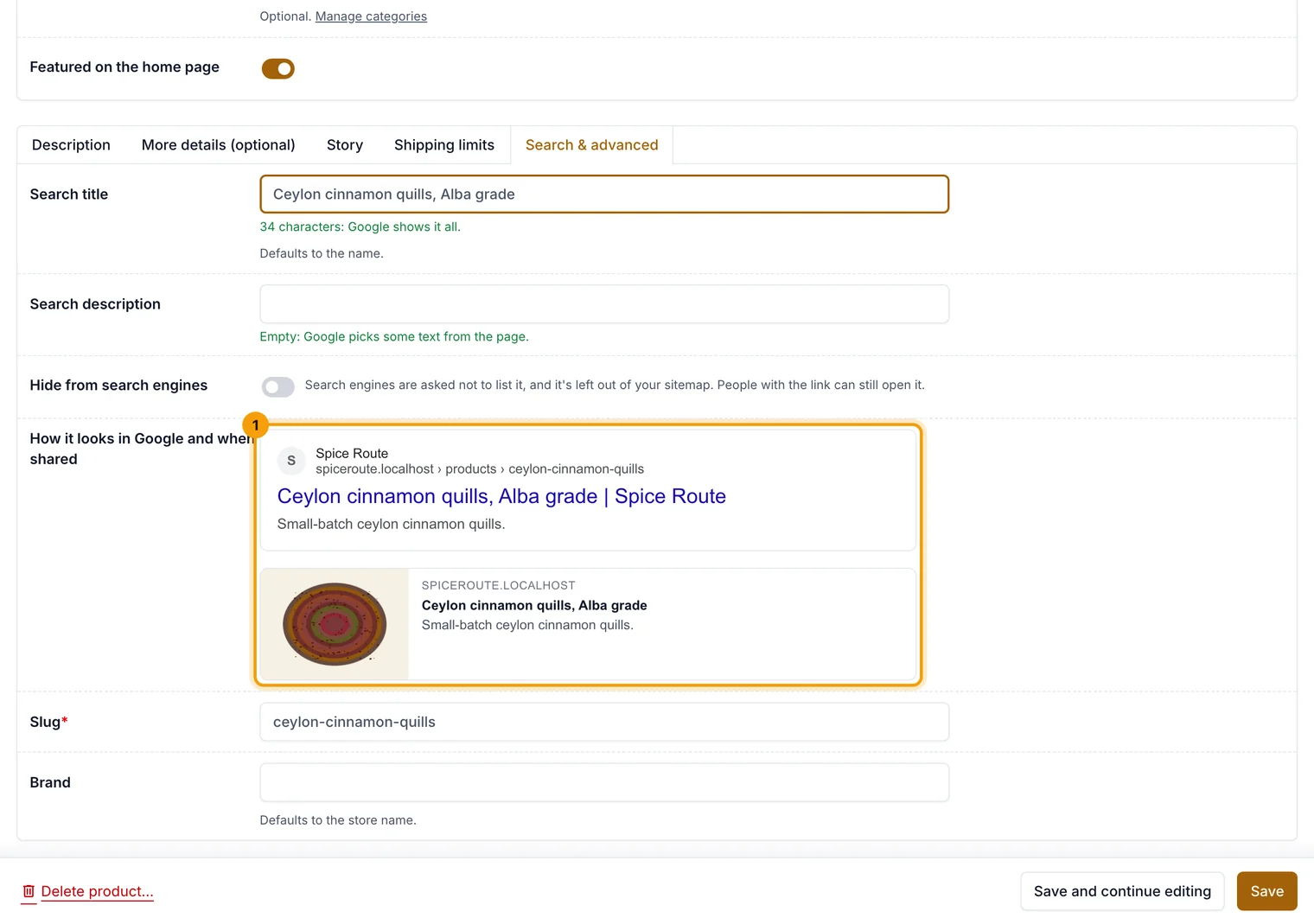
What you type shows in the preview straight away.
Hide something from Google
Tick Hide from search engines on any item. It's left out of your sitemap and Google is asked not to list it; people with the link can still open it.
Fix broken links
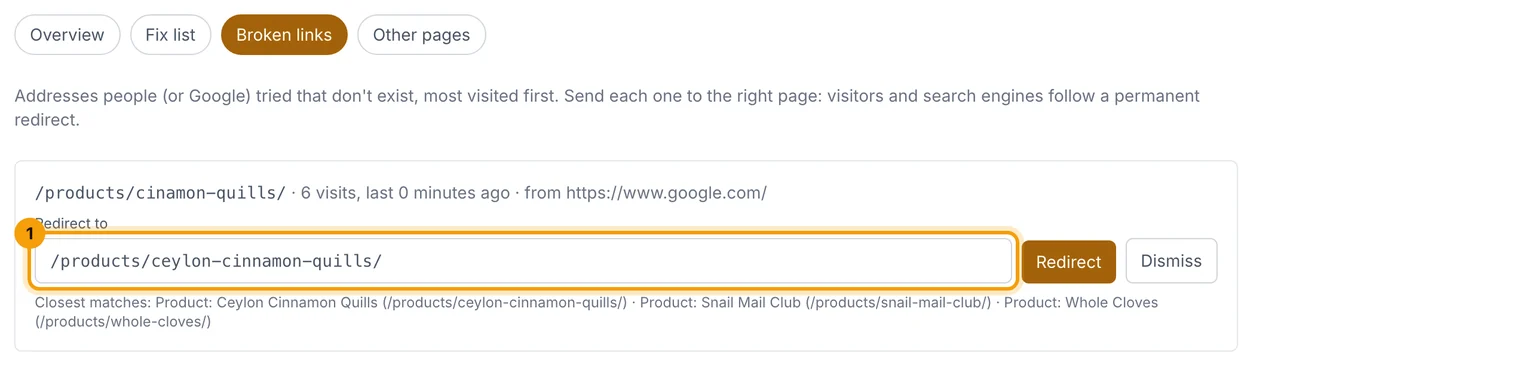
The Broken links tab lists addresses people tried that don't exist. Pick where each should go and choose Redirect (1); close matches are filled in for you.
Tell Google about your store
Copy your sitemap address from the Overview tab and submit it in Google Search Console. Add your Search Console code in Store settings › Search & social.
Related guides
- Redirects
Send old addresses to new ones. Changed addresses redirect automatically.
- Add products, sizes and photos
Create a product, give it sizes with their own price and stock, add photos, and publish it.
- Store settings
Business details, logo, emails, GST, returns, languages, currencies and search settings, one section at a time.
Still stuck? Contact support or email [email protected]. We reply within one business day.