Organise products into categories
Group products (Spices, Tea, Gifts…) so shoppers can browse them and search engines can find each group.
Products · Updated 14 Nov 2026
Categories group your products in the shop. Each one gets its own page, for example /shop/spices/.
Add a category
-
Open Products › Categories and choose Add category.
-
Enter the Name and, if you like, a description shown at the top of its page.
-
Add an image and describe it in the image's alt text.
-
Choose Save.
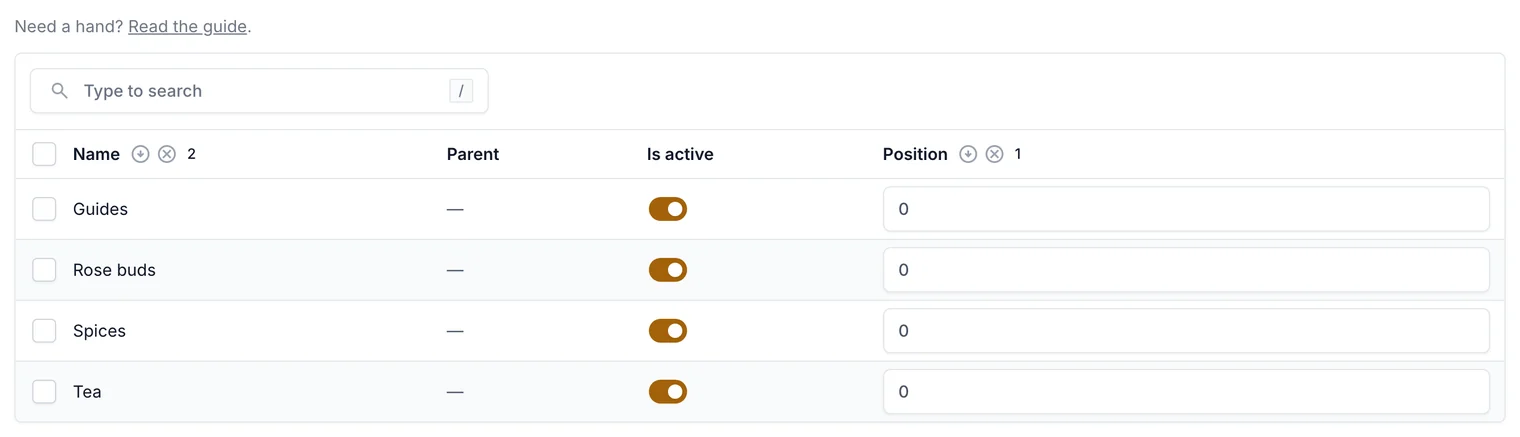
Switch a category off to hide it, and set the order shoppers see them in.
Put products in a category
Open a product and tick its Categories on the General tab. A product can be in several categories.
Change the order
Change the Position numbers on the Categories list: lower numbers come first. Switch Active off to hide a category without deleting it.
Related guides
- Add products, sizes and photos
Create a product, give it sizes with their own price and stock, add photos, and publish it.
- Get found on Google (SEO)
Your SEO score and checklist, search titles and descriptions with live previews, hiding pages, and fixing broken links.
Still stuck? Contact support or email [email protected]. We reply within one business day.