Charge and show GST
If you're GST-registered, show GST at checkout and on receipts and invoices.
Payments · Updated 14 Nov 2026
Nothing changes for customers until you switch GST on.
-
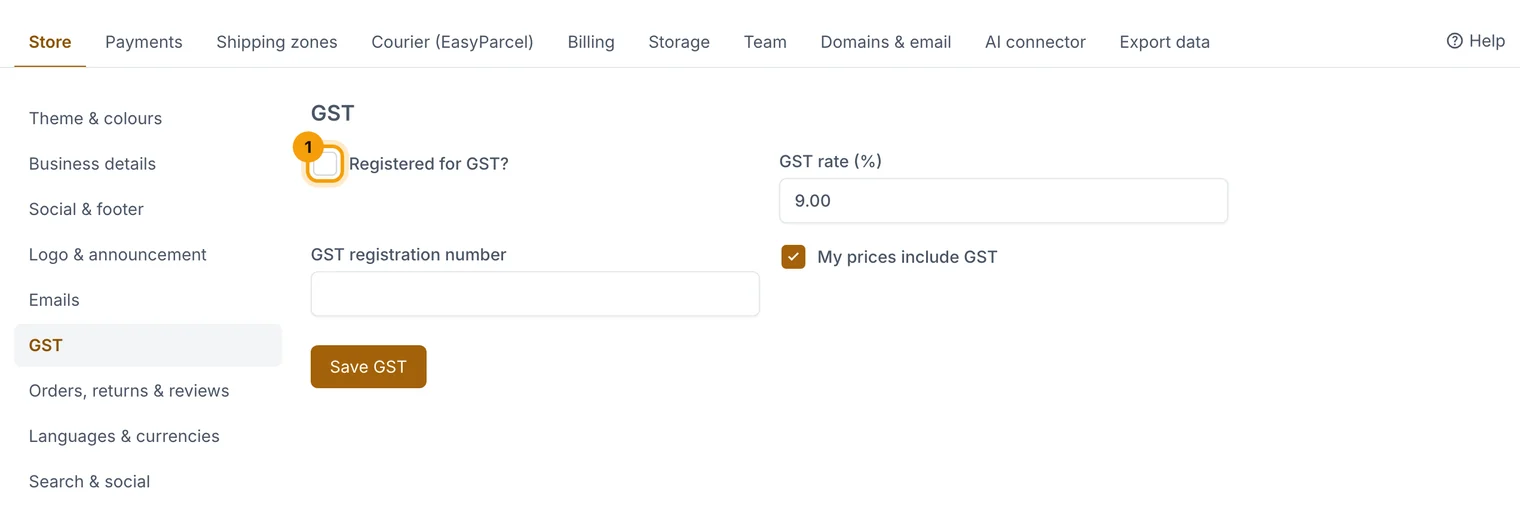
Open Settings › Store settings and choose the GST section.
-
Tick Registered for GST? (1).
-
Enter your GST rate (%) and GST registration number.
-
Tick My prices include GST if the prices you've entered already include it.
-
Choose Save GST.
Checkout, receipts and invoices then show the GST included.
Related guides
- Store settings
Business details, logo, emails, GST, returns, languages, currencies and search settings, one section at a time.
- Connect Stripe
Take card, Apple Pay and Google Pay payments straight into your own Stripe account.
Still stuck? Contact support or email [email protected]. We reply within one business day.