Connect your store to AI
Ask an AI assistant such as Claude about your orders, stock, customers and sales, read-only and on your terms.
Getting started · Updated 14 Nov 2026
The AI connector lets an assistant like Claude read your store and answer questions such as "what sold best last month?" or "which orders still need posting?". It can't change anything.
Connect an AI app
-
Open Settings › AI connector and copy the address under Connect an AI app (1).
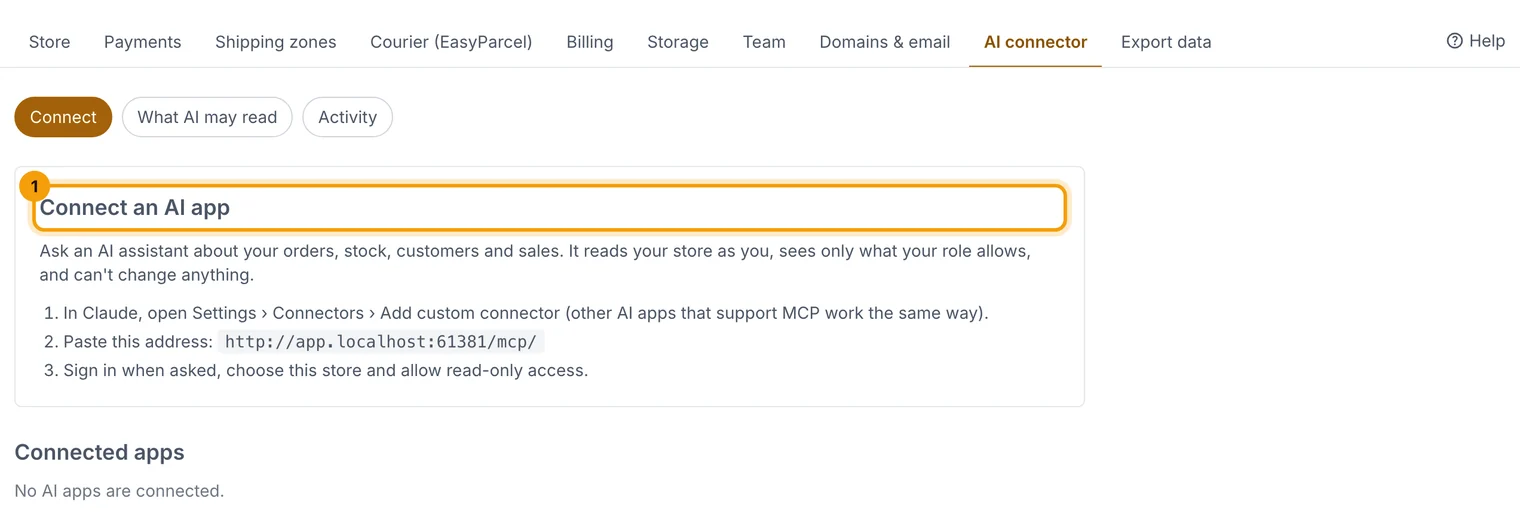
Copy the address, then add it to your AI app. -
In Claude, open Settings › Connectors › Add custom connector and paste the address.
-
Sign in with your email code, choose your store and allow read-only access.
Choose what AI can read
-
On the same page, open the settings tab. Under What AI apps may read (1), tick the areas AI may see.
-
Choose whether customers' contact details are hidden (2). We recommend hiding them.
-
Choose Save.
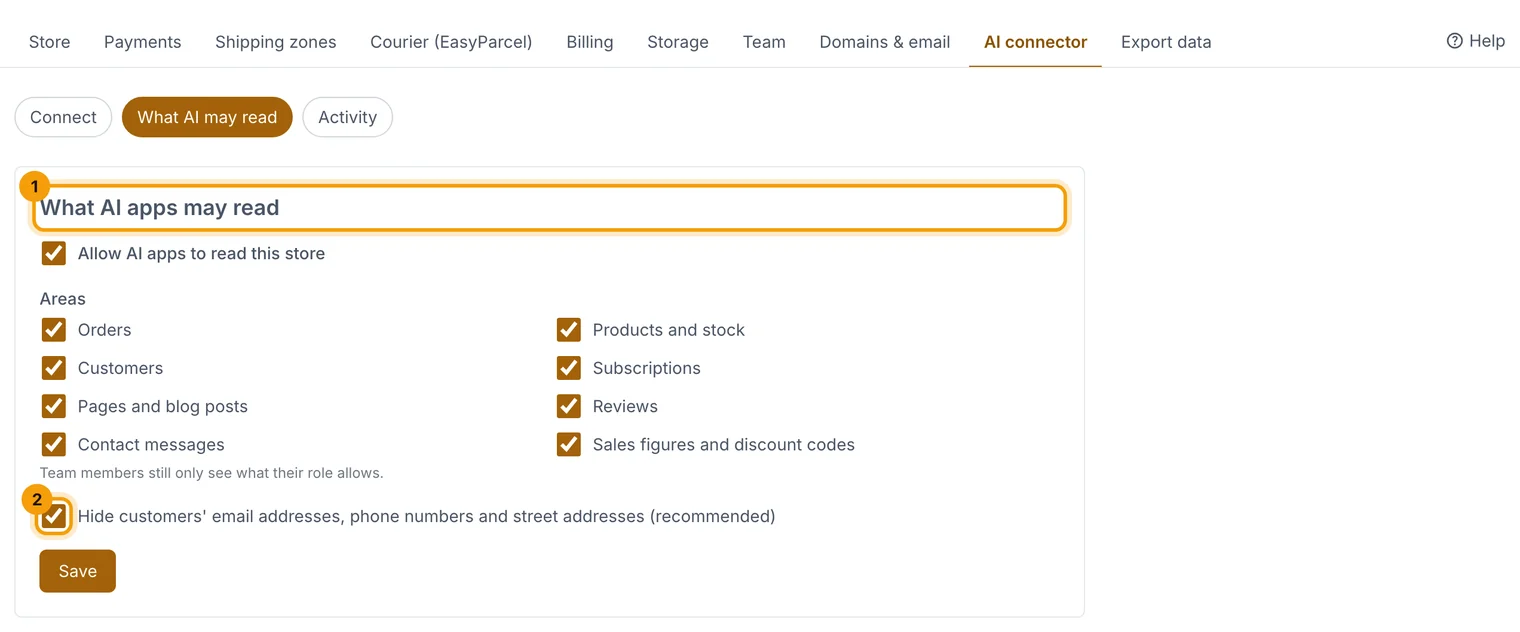
You decide which parts of your store AI apps can read.
The assistant sees only what your own role allows. Owners can disconnect any app from Connected apps with Disconnect….
Related guides
- Invite your team
Add people to your store, choose what each one can do, and remove them when they leave.
- "Add-ons: more storage, team members, products and emails"
Add more of something without changing plan; prorated and removable.
Still stuck? Contact support or email [email protected]. We reply within one business day.