Plans and billing
Choose a plan, switch monthly or yearly, update your card and see invoices.
Plans & billing · Updated 15 Nov 2026
Your free trial lasts 14 days with no card. Choose a plan any time during the trial; billing starts when the trial ends, never before.
Choose a plan
-
Open Settings › Billing.
-
Compare the plans (1) and choose Monthly or Annual on the one you want. Annual is two months free.
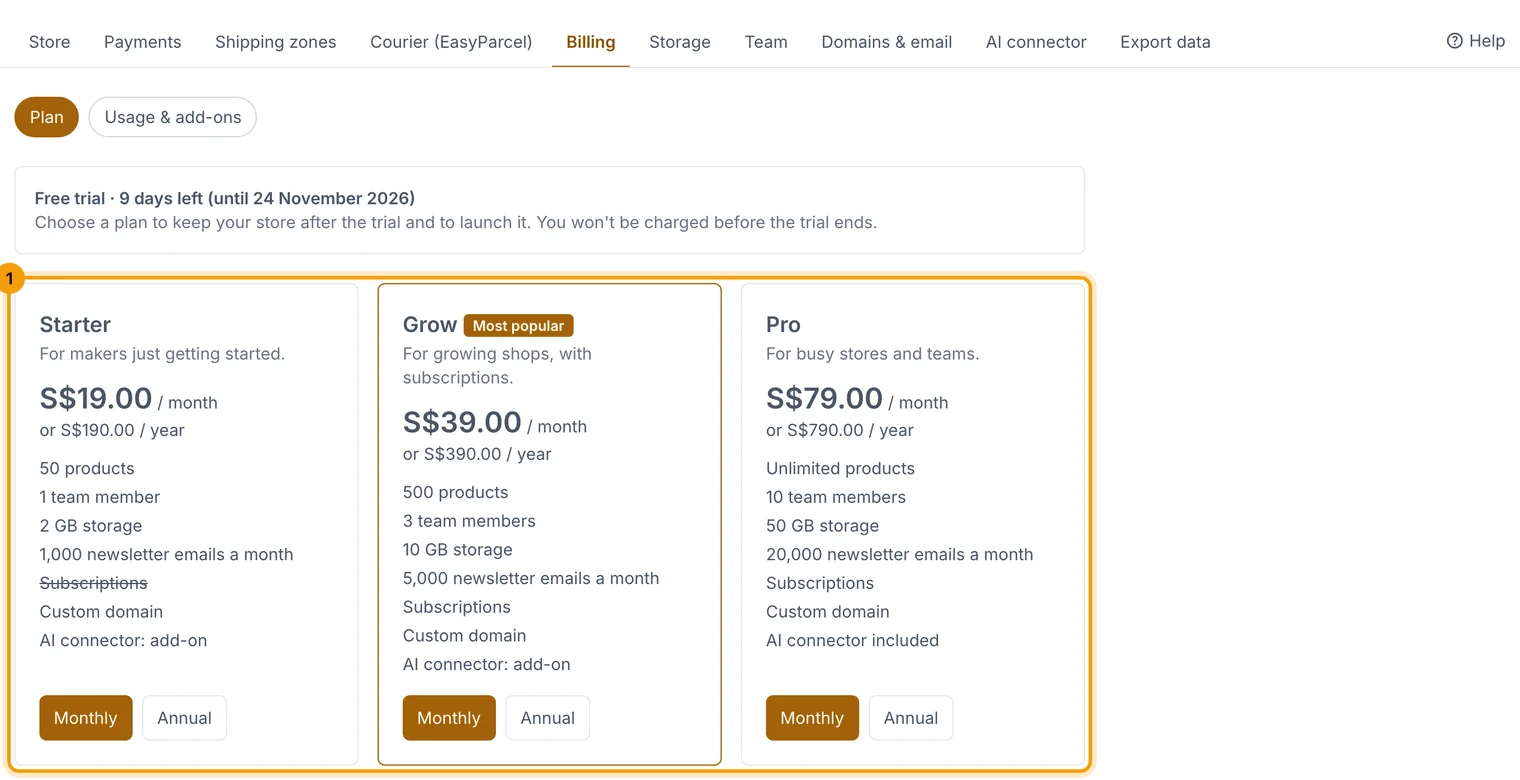
Starter, Grow and Pro: limits, features and prices. -
Enter your card on Stripe's secure page.
Change plan or card, and invoices
Choose Invoices, card & plan changes to open the billing portal: download invoices, update your card, or switch plan or between monthly and yearly.
When our prices change
- You keep your price. Billing shows Your price, which is what you pay. It can be lower than the price on the plan cards if you subscribed before a change.
- We tell you first. Before your price goes up, we email you at least 30 days ahead. The new price starts at your first renewal after that date, and Billing shows it too. If a price goes down, you get the lower price from your next renewal.
- Switching uses today's prices. Changing plan, or between monthly and yearly, moves you to the new plan's price today.
- Add-ons keep their price. Adding more of an add-on you already have costs the same as the ones you have.
Related guides
- "Add-ons: more storage, team members, products and emails"
Add more of something without changing plan; prorated and removable.
- Storage
What uses your storage, how to free it up, and storage packs.
Still stuck? Contact support or email [email protected]. We reply within one business day.